
Scheduling Rules settings
Scheduling Rules let you set the guardrails Patcher follows when it looks for openings to fill — which gaps are worth offering, how far ahead to search, how soon a proposed time can land, and how cleanly those times should round.
Overview
Patcher watches your schedule for openings and proposes earlier times to eligible customers on your waitlist. The Scheduling Rules page tells Patcher what counts as a fillable opening and how aggressive to be when offering one. Dialing these settings changes how many proposals go out, how soon they land, and how tidy the proposed times look to your customers.
You manage your operating hours on the Hours page and your scheduling rules on the Scheduling page. Both work together: Patcher only considers openings inside your operating hours, and it only proposes times that satisfy every rule below.
Opening this page
- Open your business settings.
- Click Scheduling in the settings navigation.
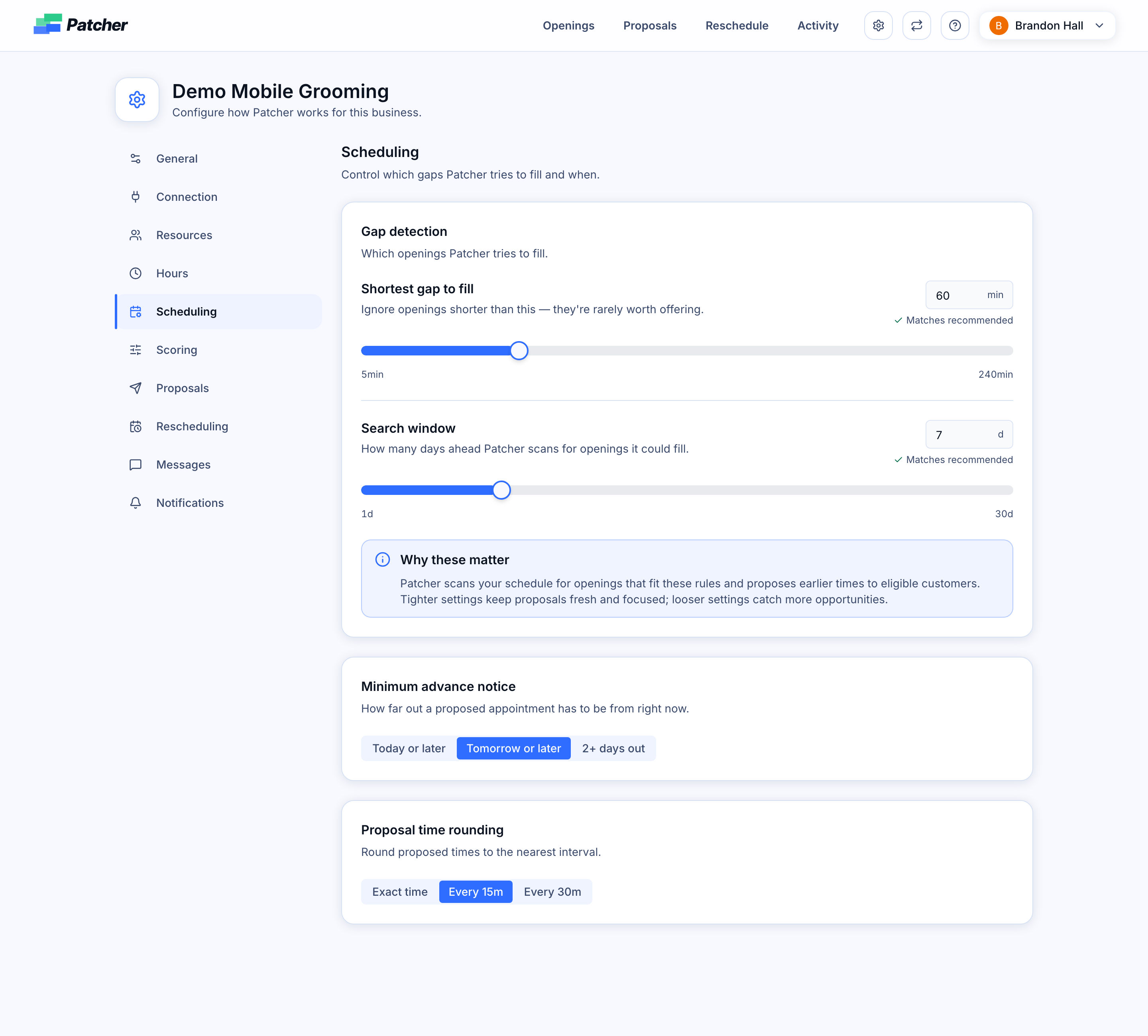
- You will see three cards: Gap detection, Minimum advance notice, and Proposal time rounding. Changes save automatically as you adjust each control.
Gap detection
These two settings decide which openings Patcher tries to fill.
Shortest gap to fill
The minimum length, in minutes, of an opening Patcher will consider. Openings shorter than this are ignored because they are rarely worth offering. The recommended value is 60 minutes. Raise this if you are getting proposals for slots that are too short to be useful; lower it if you want Patcher to chase smaller openings.
Search window
How many days ahead Patcher scans when looking for openings it could fill. The recommended value is 7 days. A tighter window keeps proposals focused on the near term; a wider window catches more opportunities but can send proposals for appointments that feel far away.
Minimum advance notice
How soon a proposed appointment is allowed to be from right now. Pick the option that matches how much lead time your team needs to prepare.
- Today or later — Patcher can propose times later today. Use this when your team can absorb same-day moves.
- Tomorrow or later — Patcher will not propose times for today, but anything from tomorrow onward is fair game. This is the most common choice.
- 2+ days out — Patcher holds off on today and tomorrow and only proposes times two or more days out. Use this when your team needs longer to prepare for a move.
Proposal time rounding
The interval Patcher rounds proposed start times to. Rounder times feel more professional to customers and are easier to remember.
- Exact time — Propose the exact minute the opening starts. Best when your appointments naturally start on irregular times.
- Every 15m — Round proposed times to the nearest quarter hour.
- Every 30m — Round proposed times to the nearest half hour. Use this if you run on a tight :00 / :30 cadence.
How these rules work together
When Patcher finds an opening, it checks every rule on this page before sending a proposal:
- The opening is inside your operating hours.
- The opening is at least as long as your Shortest gap to fill.
- The opening lands inside your Search window.
- The proposed start time satisfies your Minimum advance notice.
- The proposed time is rounded per Proposal time rounding.
If any rule fails, Patcher skips the opening and keeps looking.
Tips
- Start with the recommended values and adjust after a week of real proposals.
- If you are seeing too few proposals, widen the search window or lower the shortest gap first.
- If proposals feel too last-minute, move the minimum advance notice to Tomorrow or later or 2+ days out.
- If your customers find proposed times confusing, switch rounding to Every 15m or Every 30m.
Related articles
- Setting your operating hours
- How openings work
- How proposals are sent to customers